# Resetting Data fields with Ctrl-0 (Hidden feature)
**URL:** https://community.linx.software/community/t/resetting-data-fields-with-ctrl-0-hidden-feature/468
**Category:** How To
**Created:** [October 28, 2020, 9:13am UTC](https://community.linx.software/community/t/resetting-data-fields-with-ctrl-0-hidden-feature/468 "2020-10-28T09:13:04Z")
**Posts on this page:** 2
**Page:** 1
### Author:  [@Dawie\_Botes](https://community.linx.software/community/u/Dawie_Botes)
#### Post date: [October 28, 2020, 9:13am UTC](https://community.linx.software/community/t/resetting-data-fields-with-ctrl-0-hidden-feature/468/1 "2020-10-28T09:13:04Z")
When adding data into field, especially complex types, a lot of time one wants to remove a specific entry, and reset the resulting JSON string. As example, here is a Photo object with some data added:
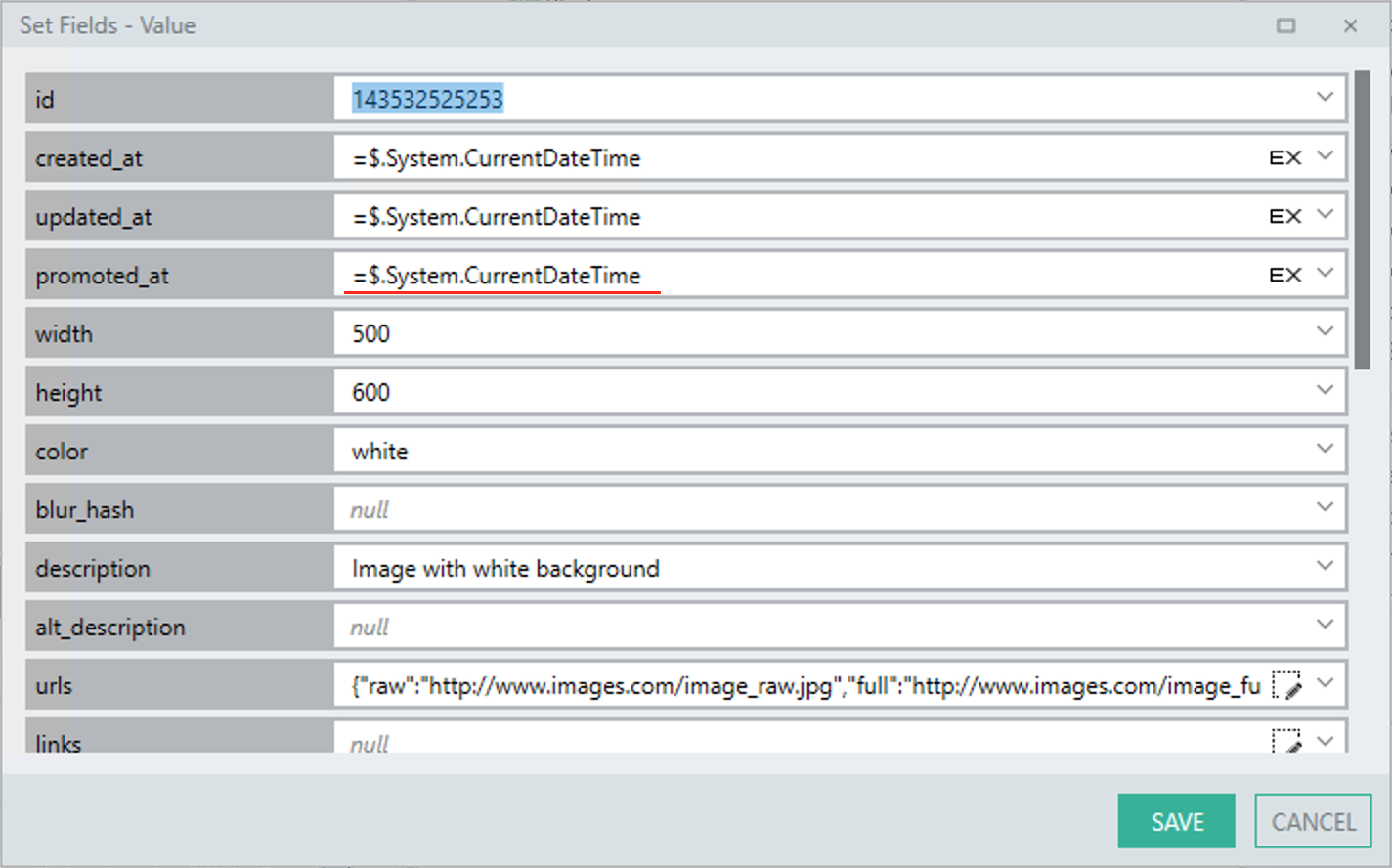
In this example I want to remove the “promoted\_at” value. Currently my JSON looks like this:
> {“id”:“143532525253”, “created\_at”:{“LinxExpression”:“$.System.CurrentDateTime”}, “updated\_at”:{“LinxExpression”:“$.System.CurrentDateTime”}, **“promoted\_at”:{“LinxExpression”:“$.System.CurrentDateTime”}** , “width”:“500”, “height”:“600”, “color”:“white”, “description”:“Image with white background”, “urls”:{“raw”:“[http://www.images.com/image\_raw.jpg](http://www.images.com/image_raw.jpg)”, “full”:“[http://www.images.com/image\_full.jpg](http://www.images.com/image_full.jpg)”, “regular”:“[http://www.images.com/image\_regular.jpg](http://www.images.com/image_regular.jpg)”, “small”:“[http://www.images.com/image\_small.jpg](http://www.images.com/image_small.jpg)”, “thumb”:“[http://www.images.com/image\_tn.jpg](http://www.images.com/image_tn.jpg)”}, “categories”:[“White”,“Blank”,“Empty”]}
However, if I simply delete the value inside of the entry box, my JSON becomes this:
> {“id”:“143532525253”, “created\_at”:{“LinxExpression”:“$.System.CurrentDateTime”}, “updated\_at”:{“LinxExpression”:“$.System.CurrentDateTime”}, **“promoted\_at”:“”** , “width”:“500”, “height”:“600”, “color”:“white”, “description”:“Image with white background”, “urls”:{“raw”:“[http://www.images.com/image\_raw.jpg",“full”:“http://www.images.com/image\_full.jpg”,“regular”:“http://www.images.com/image\_regular.jpg”,“small”:“http://www.images.com/image\_small.jpg”,“thumb”:"http://www.images.com/image\_tn.jpg](http://www.images.com/image_raw.jpg%22,%22full%22:%22http://www.images.com/image_full.jpg%22,%22regular%22:%22http://www.images.com/image_regular.jpg%22,%22small%22:%22http://www.images.com/image_small.jpg%22,%22thumb%22:%22http://www.images.com/image_tn.jpg)”}, “categories”:[“White”,“Blank”,“Empty”]}
Which is not valid as “” is not a valid date and using this JSON would fail. Normally I would go into the JSON text and remove the whole item, but I have recently been told there is a hidden, undocumented key-shortcut to reset the entry:
- Click into the Entry
- Press **Ctrl-0** (Control Zero)
This will “reset” the field:
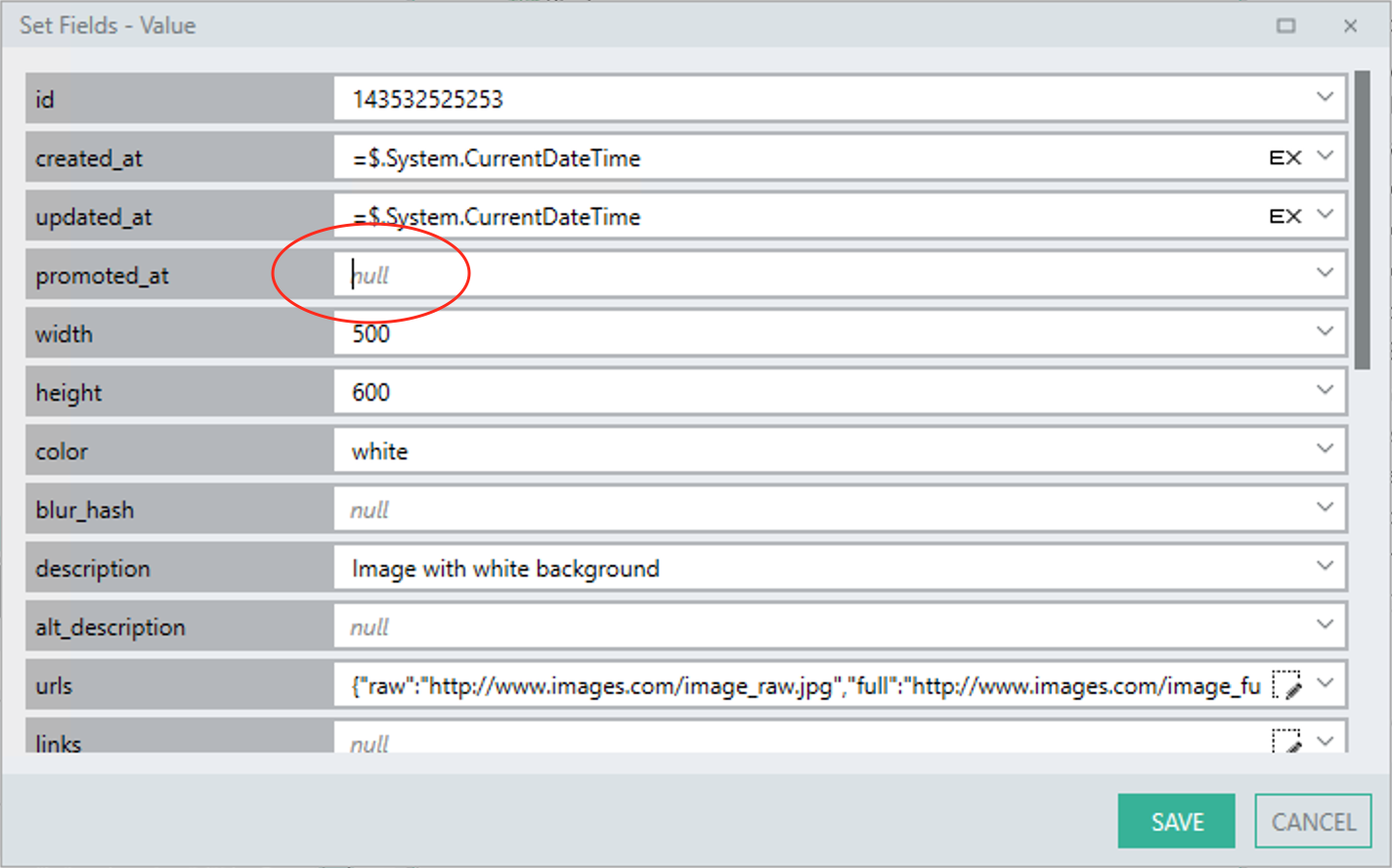
And the JSON will now be clean:
> {“id”:“143532525253”, “created\_at”:{“LinxExpression”:“$.System.CurrentDateTime”}, “updated\_at”:{“LinxExpression”:“$.System.CurrentDateTime”}, “width”:“500”, “height”:“600”, “color”:“white”, “description”:“Image with white background”, “urls”:{“raw”:“[http://www.images.com/image\_raw.jpg",“full”:“http://www.images.com/image\_full.jpg”,“regular”:“http://www.images.com/image\_regular.jpg”,“small”:“http://www.images.com/image\_small.jpg”,“thumb”:"http://www.images.com/image\_tn.jpg](http://www.images.com/image_raw.jpg%22,%22full%22:%22http://www.images.com/image_full.jpg%22,%22regular%22:%22http://www.images.com/image_regular.jpg%22,%22small%22:%22http://www.images.com/image_small.jpg%22,%22thumb%22:%22http://www.images.com/image_tn.jpg)”}, “categories”:[“White”,“Blank”,“Empty”]}
---
### Author:  [@Dawie\_Botes](https://community.linx.software/community/u/Dawie_Botes)
#### Post date: [October 28, 2020, 10:07am UTC](https://community.linx.software/community/t/resetting-data-fields-with-ctrl-0-hidden-feature/468/2 "2020-10-28T10:07:44Z")
Another example with less fields:
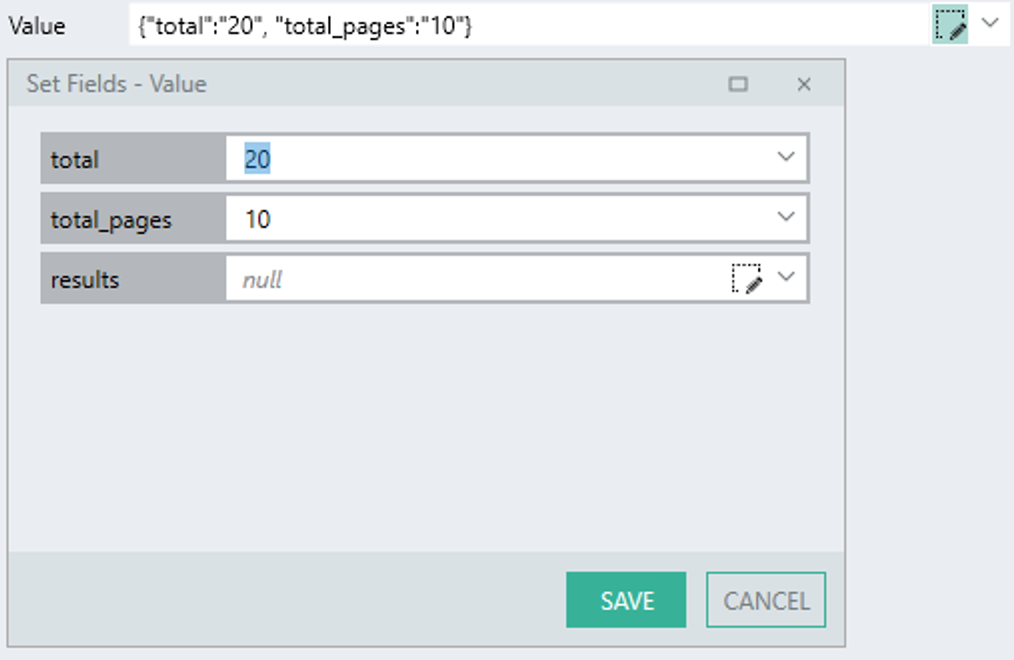
I want to remove the integer **total** by just deleting the number:
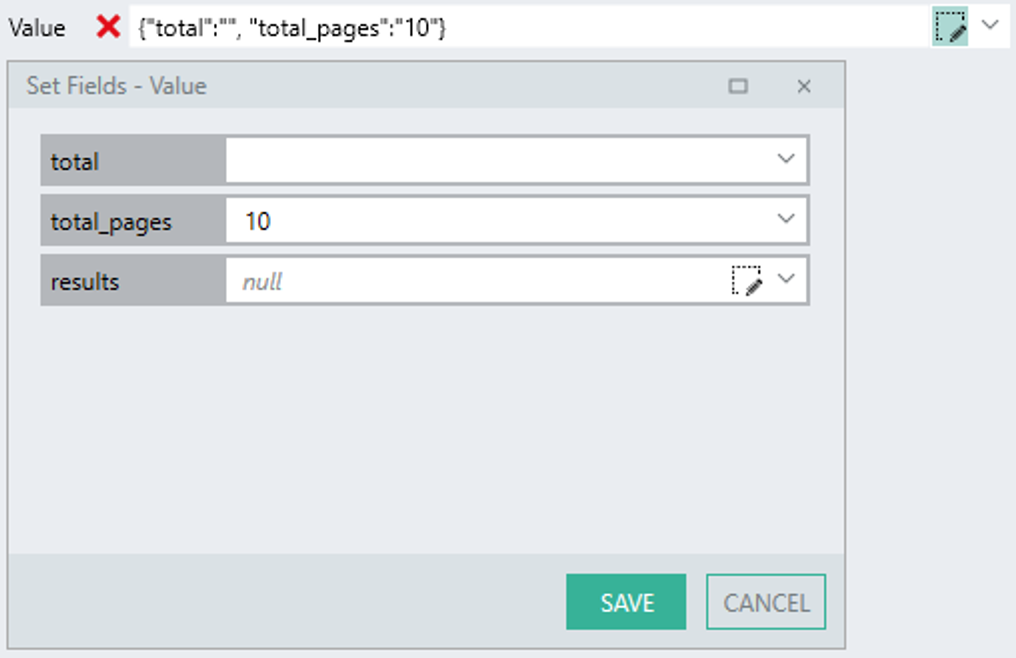
{“total”:“”} gives an error because an integer cannot be “”
But, by using **Ctrl-0** , the field resets and the JSON becomes clean and valid:
