# Using Multipart Encoded Content for files with CallRESTEndpoint
**URL:** https://community.linx.software/community/t/using-multipart-encoded-content-for-files-with-callrestendpoint/666
**Category:** Uncategorized
**Created:** [July 21, 2023, 12:49pm UTC](https://community.linx.software/community/t/using-multipart-encoded-content-for-files-with-callrestendpoint/666 "2023-07-21T12:49:06Z")
**Posts on this page:** 2
**Page:** 1
### Author:  [@Shantoie](https://community.linx.software/community/u/Shantoie)
#### Post date: [July 21, 2023, 12:49pm UTC](https://community.linx.software/community/t/using-multipart-encoded-content-for-files-with-callrestendpoint/666/1 "2023-07-21T12:49:06Z")
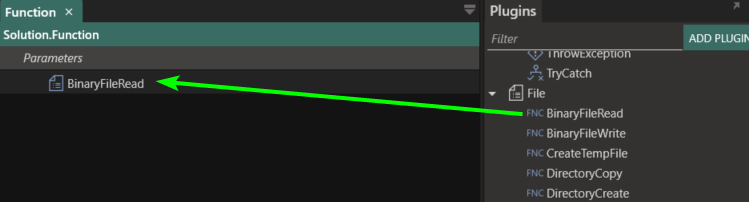
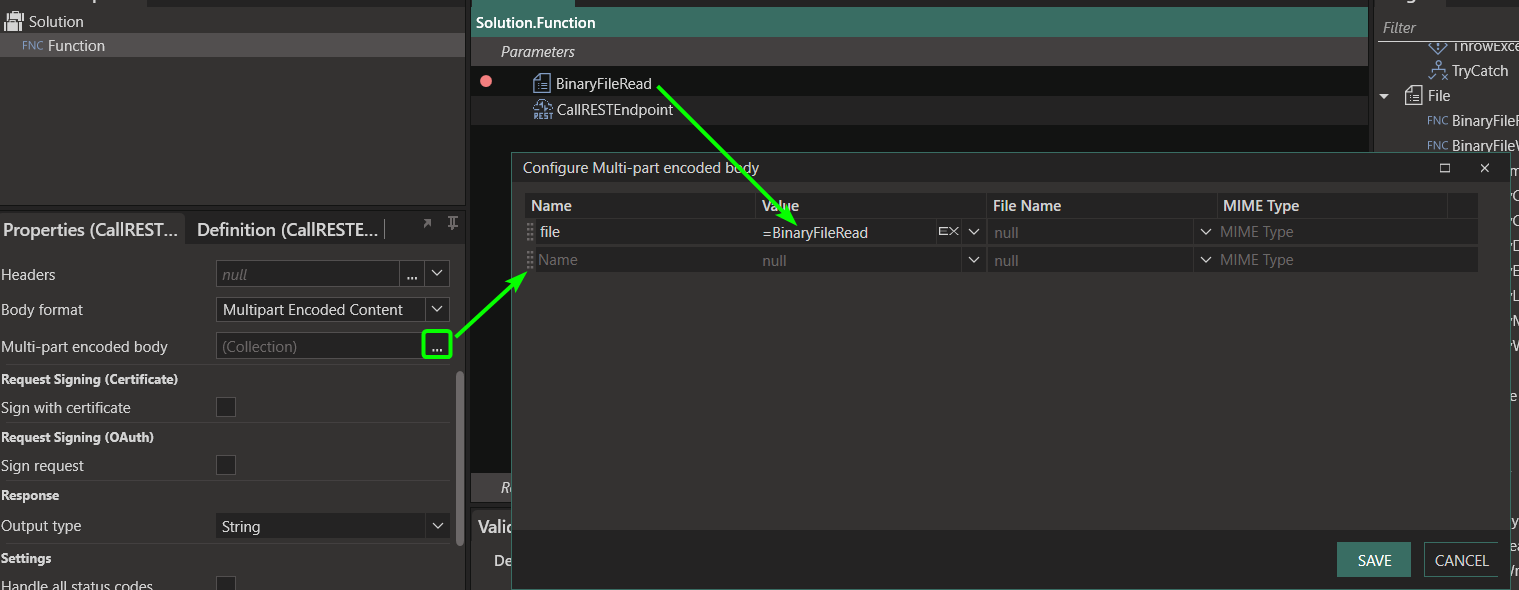
If you need to send a file over a Multi-part encoded Content in a REST API, you will need to convert the file to binary first, then send that binary in the Mult-part Endoded body.
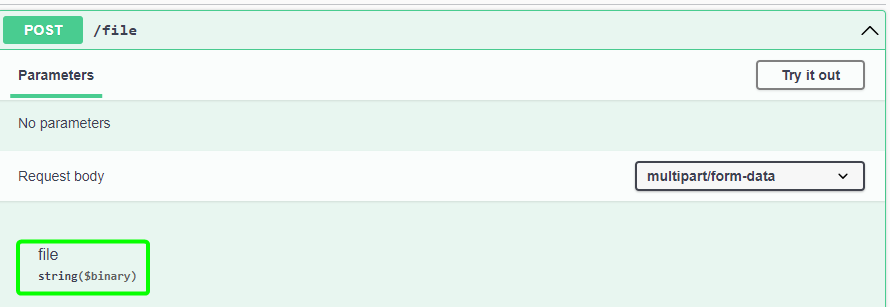
The API may look something like this:
First retrieve the binary for the file you need to sent. Do this by using the BinaryFileRead function (in the File plugin)
Then send that binary in the Multi-part encoded body setting.
---
### Author:  [@Shantoie](https://community.linx.software/community/u/Shantoie)
#### Post date: [July 31, 2023, 12:21pm UTC](https://community.linx.software/community/t/using-multipart-encoded-content-for-files-with-callrestendpoint/666/2 "2023-07-31T12:21:15Z")
Please note:
**When using a Binary file:**
- binary content is accepted (see the _Value_ field in the ‘myfile’ example above)
- the _File Name_ must be specified
**When using a Base64 file:**
- a string value is accepted (see the _Value_ field in the ‘somedata’ example above)
- the _File Name_ must not be specified
More detail available in the documentation: [Call REST Endpoint (50%) (linx.software)](https://linx.software/docs/6/reference/plugins/rest/content/callrestendpoint/)